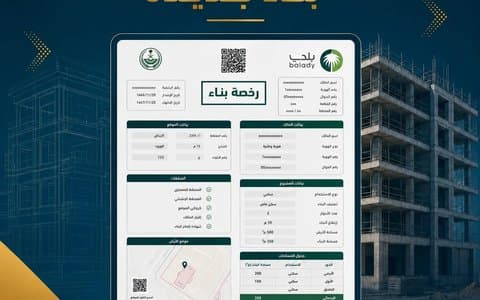

Many buildings received their permits before services moved to the Balady platform, or were issued in the municipality's system and later migrated. The result: you want an occupancy certificate, an ownership transfer or a modification, you log in, and the permit is not there, or it shows with wrong data that does not match the deed. This is common in buildings more than ten years old, and it has clear solutions once you know the exact cause.
Why Does an Old Permit Not Appear?
- The permit was issued on paper by the municipality before services were digitised and was never registered electronically.
- It was migrated from the municipality's system but with incomplete data or linked to an old ownership document.
- The deed changed (updated, merged or subdivided), so the permit is no longer linked to the new deed.
- The permit is in a previous owner's name and its ownership was never transferred.
1. The Permit Was Migrated From the Municipality but Its Data Is Wrong
This is where the Balady building permit data correction service helps. It is designed for permits migrated from the municipality, and among other things it fixes the ownership document number linked to the permit. This is common after a paper deed is updated to an electronic one, since the document number changes. Read: Converting a paper deed to an electronic one.
2. The Permit Is Missing From Your Account When You Request a Service
In the occupancy certificate service, for example, Balady notes that if the permit does not appear among the beneficiary's permits, it can be added through the engineering office or the municipality. So do not start status rectification before confirming whether it can be added.
3. The Old Survey Decision Does Not Appear
Engineering offices have a survey decision entry service for old decisions issued in the municipality's system. Remember that a survey decision is valid for 3 years, so if the old one has expired you may need a new one. Read: Survey report inquiry on Balady.
4. The Permit Is in a Previous Owner's Name
If you bought the property and the permit is still in the seller's name, it will not appear in your account until its ownership is transferred. Read: Transferring building permit ownership.
5. No Data for the Old Permit Can Be Found
If the permit's data cannot be found in any system, the route is usually existing building status rectification, along with dealing with any structural or regulatory violations. This is not a penalty; it is the route to a modern electronic permit that reflects the building as it is.
Quick Diagnosis Table
| What you see on Balady | Likely cause | Solution |
|---|---|---|
| No permit at all | An unregistered paper permit | Add it through the office or municipality |
| The permit shows with an old deed number | The deed was updated after migration | Building permit data correction |
| The permit is in someone else's name | Ownership not transferred | Building permit ownership transfer |
| The survey decision does not appear | An old decision from the municipality system | Survey decision entry through the office |
| No retrievable data at all | Missing record | Existing building status rectification |
Is Converting a Paper Permit to Electronic a Separate Procedure?
Usually there is no standalone "conversion" in the sense owners imagine. What is needed is for the permit to be registered with correct data on Balady, either by adding it through the office or municipality, or by correcting its data if it was migrated. When that is not possible, status rectification becomes the way to obtain an electronic permit for the building.
When Does the Problem Usually Appear?
- When requesting an occupancy certificate for an old building. Read: The occupancy certificate.
- When selling the property and transferring the permit.
- When requesting a commercial licence for a tenant that requires the building permit.
- When requesting restoration or modification based on the permit. Read: Which permit does an existing building need?
- When sorting units, since the Real Estate General Authority requires a building permit. Read: Apartment sorting requirements.
What to Prepare Before Contacting the Office
- A copy of the paper permit with its number and date.
- The updated electronic deed.
- Any old survey decision or drawings available.
- Recent exterior photos of the building.
- Any previous correspondence with the municipality about the building.
Tip: Do Not Wait Until You Need the Permit
Fixing permit data takes time, and the worst moment to discover the problem is the day of a sale or of signing a tenant's lease. If your building is old, check now that its permit appears. Read: Building permit inquiry.
Frequently Asked Questions
Can I add the old permit myself?
Balady notes that it is added through the engineering office or the municipality.
My permit shows but with an old deed number. What do I do?
Use the building permit data correction service for permits migrated from the municipality.
Does status rectification mean the building is in violation?
Not necessarily; it may be the only route to an electronic permit when the old permit's data is lost.
The old survey decision does not appear. Do I need a new one?
The office can enter the old decision, but if it has expired a new one may be required.
How long does the fix take?
It depends on the cause; data correction is usually faster than status rectification, which needs a survey and drawings.
Related Guides
- Building permits in Saudi Arabia: the complete guide
- As-built drawings
- Bought a building without a permit?
How Abak Engineering Consultancy Helps
Abak's team deals daily with old and migrated permits, determines whether data correction or adding the permit is enough or whether status rectification is needed, then handles the whole procedure. For professional support, see our Restoration Permit service. Contact us.
Regulatory information is based on the Balady platform and the Ministry of Municipalities and Housing, and procedures may be updated by the competent authority. Last reviewed: October 2026.